
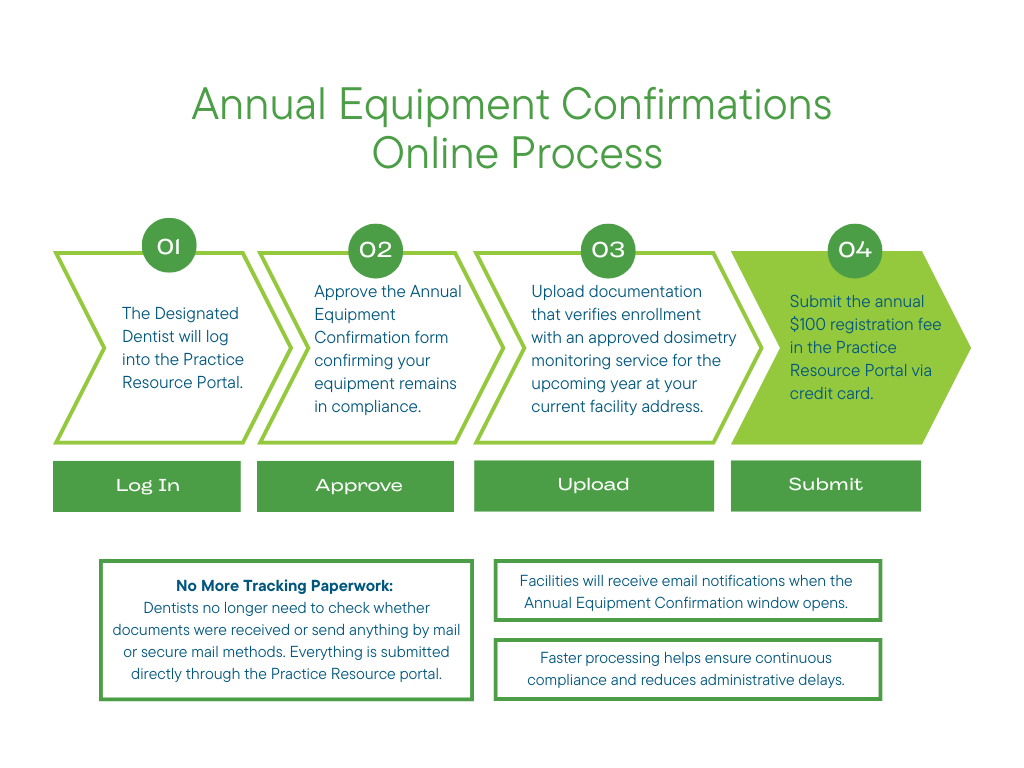
Annual Equipment Confirmations Online Process APPROVE THE ANNUAL EQUIPMENT CONFIRMATION FORM This digital form confirms that your equipment remains in compliance with all required standards and regulations. UPLOAD PROOF OF CURRENT DOSIMETRY SERVICE PROVIDER Documentation must verify that you are enrolled with an approved dosimetry monitoring service for the upcoming year at your current facility address. SUBMIT THE ANNUAL $100 REGISTRATION FEE ONLINE Dentists pay the annual facility registration fee directly through the portal using a credit card. No More Tracking Paperwork: Dentists no longer need to check whether documents were received or send anything by mail or secure mail methods. Everything is submitted directly through the portal. Facilities will receive email notifications when the Annual Equipment Confirmation window opens.

How To Submit the Forms?
Annual Equipment Confirmations will open in November in conjunction with Annual Practice Permit Renewals. The Designated Dentist will complete the Annual Equipment Confirmation form through the Practice Resource Portal.

Practice Resource Portal

Annual Equipment Confirmation Process:

1) Approve the Annual Equipment Confirmation Form
This digital form confirms that your equipment remains in compliance with all required standards and regulations.

2) Upload Proof of Current Dosimetry Service Provider
Documentation must verify that you are enrolled with an approved dosimetry monitoring service for the upcoming year at your current facility address. This may be an exposure report or account statement from either Health Canada, Landauer or Mirion.

3) Submit the Annual $100 Registration fee Online 
Dentists will pay the annual facility registration fee directly through the portal using a credit card.
The Radiation Program is run on a cost recovery basis. The CDSA Council reviews this program annually and determines the cost of the program for the upcoming year.